Changing several items at once
Do you want to edit, copy, move or delete many items in one go? You can do that via the More menu. You choose the items by hand or let Xanti find them with rules, for example "all news articles from 2023".
Choosing items and running the action
- Open the folder with the items.
- Click More and under Items choose Edit, Copy, Move or Delete.
- Choose which items it applies to:
- all: all items in this folder;
- selected: you tick the items yourself (Shift-click ticks a range);
- filtered: Xanti finds the items with rules (see below).
- When copying or moving, choose to folder: a folder from the list, or another folder via Choose Folder.
- When editing, tick the field you want to change and fill in the new value.
- At the top, click the button of the action, for example Move.
Finding items with rules
- Choose filtered.
- Choose whether the items are searched in this folder or in all folders.
- At If ... of the following conditions are met, choose all (every rule must match) or any (one rule is enough).
- For each rule, choose a field and a comparison (such as Contains, Is equal to, Is less than or In list) and fill in the value. The + button adds a rule.
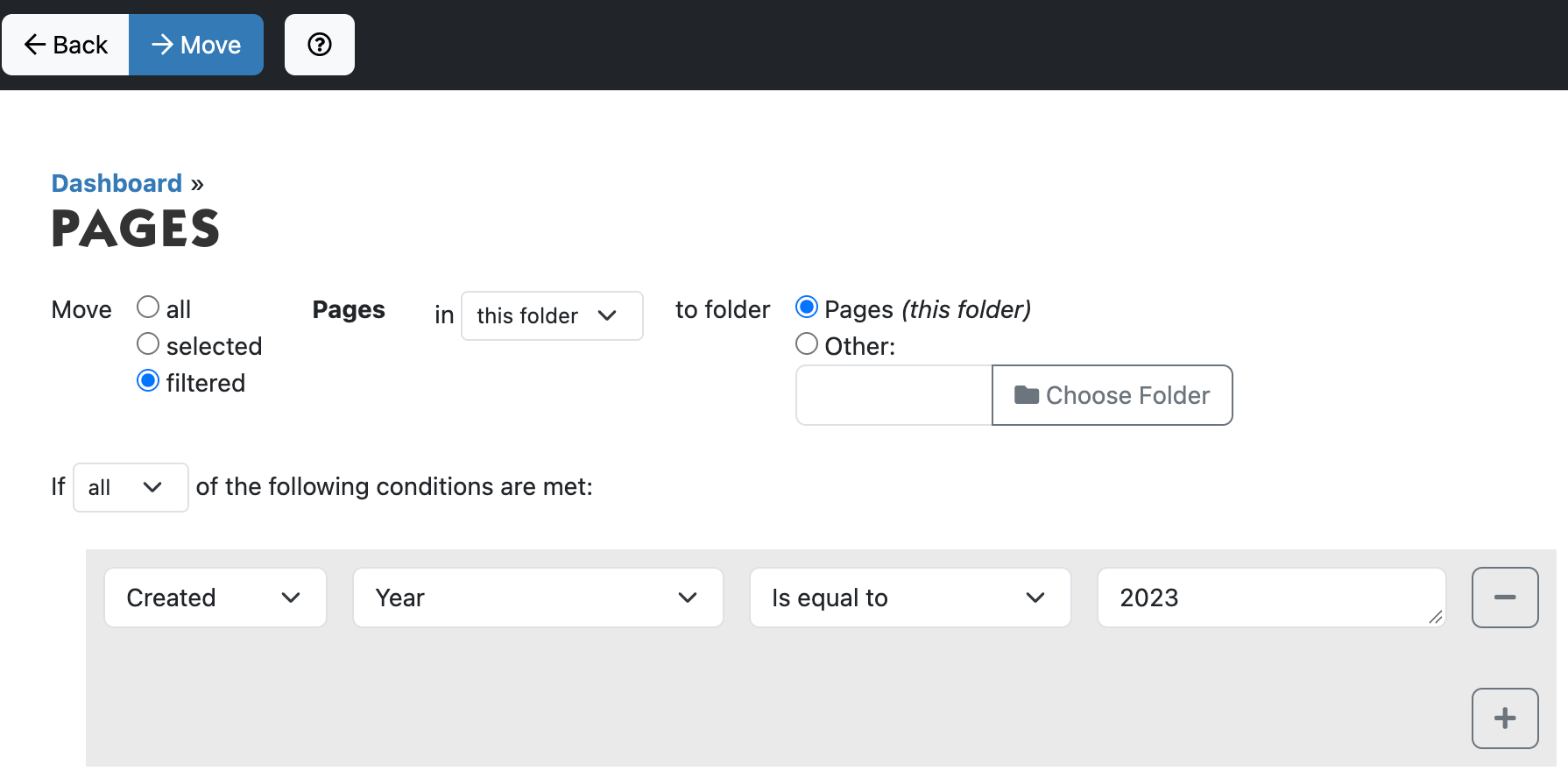
Filtering on part of a date
If you choose a date field, such as Created or Modified, an extra choice appears: compare the whole date or a part of it, such as Year, Quarter, Month, Year and month, Week, Day of the week or Hour. Examples:
- Created, Year, Is equal to, 2023: everything from 2023.
- Created, Year and month, Is greater or equal to, 202601: everything from January 2026 onwards.
- Created, Month, In list, 7 and 8 on two lines: everything from July and August.
If Xanti finds nothing, you see No items match the rules in this folder. Then check whether you opened the page from the right folder.
Deleted items go to the trash; you can restore them from there. Every bulk action is also listed in the Change History.
See also
- Filtering and sorting lists
- Exporting data to Excel
- Deleting something and putting it back from the trash
Checked: November 2026