Building a course
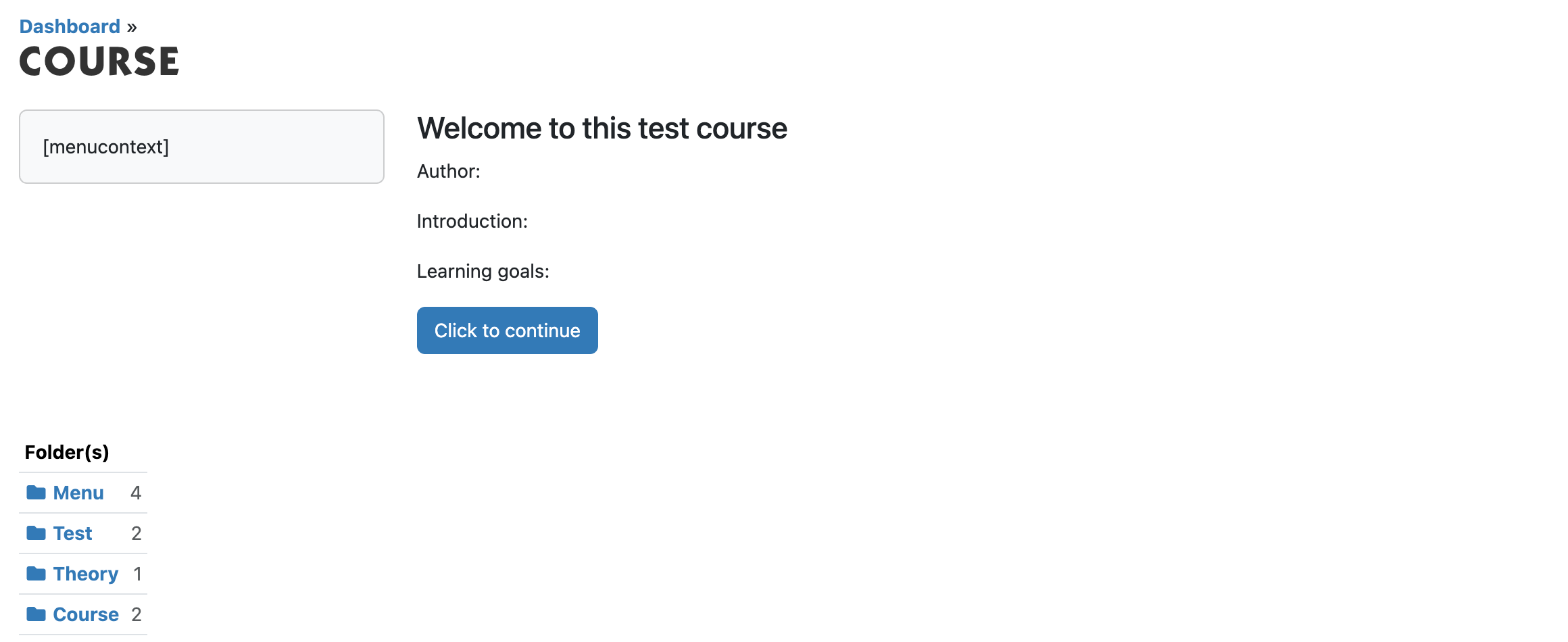
A course in Xanti is a folder that holds the tests, any lesson material, a menu and the Course folder. In the Course folder you decide which parts the student must do, and in which order. E-learning is an optional part of Xanti: if you don't see Courses under Folder content, it is not switched on for your website.
Creating the course folder
- In the main folder (the root), click New Folder.
- Under Folder name, enter the name of the course, and under Folder content, choose Folders.
- Under Folder View, tick Hide content, and under Show previous/next links, choose No.
- Click Intro text and write an introduction for the students.
- Click Save.
Creating the parts
In the course folder, use New Folder to create these folders:
- one or more tests, with Folder content Questions (see Creating a test with questions);
- lesson material to read, if you want, with Folder content Book pages;
- a menu, with Folder content Menu items. Add a menu item to each test and lesson;
- the Course folder, with Folder content Courses.
Adding the parts to the Course folder
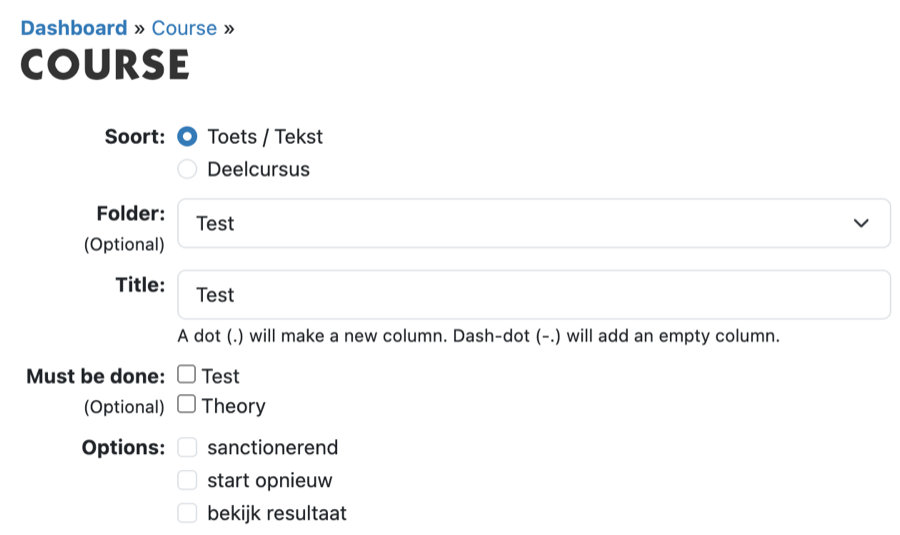
- Open the Course folder and click Add Course.
- Under Soort (kind), choose Toets / Tekst (test / text).
- Under Folder, choose the test or the lesson material. The Title is then filled in with the name of that folder; change it if you like.
- Must the student finish other parts first? Tick those under Must be done.
- Under Options, choose:
- sanctionerend (counts): the part counts towards finishing the course and towards the score;
- start opnieuw (start again): the student may take a finished test again;
- bekijk resultaat (view result): after the test, the student may view their answers, marked right and wrong.
- Click Save. Repeat this for each part.
The order of the items in the Course folder is the order in which the student sees the parts on Mijn pagina (My page). If the course has more than one test, use Must be done, otherwise the Course Check reports an error.
Done? In the course folder, click More > Course Check. Xanti then checks the whole course and creates the Accreditatie (accreditation) folder for the certificate if it does not exist yet.
See also
- Creating a test with questions
- Putting a course online and giving students access
- Certificates
- Adding a page to the menu
Checked: November 2026