Creating frequently asked questions (FAQ)
A FAQ is a list of frequently asked questions and their answers. On the website the visitor only sees the questions; when they click a question, the answer opens below it.
Adding a question
- In the tree on the left, click the folder with the frequently asked questions.
- Click Add FAQ.
- Type the question under Question. This field is required.
- Type the answer under Answer. You can format the text and add links, just like in a page.
- Click Save.
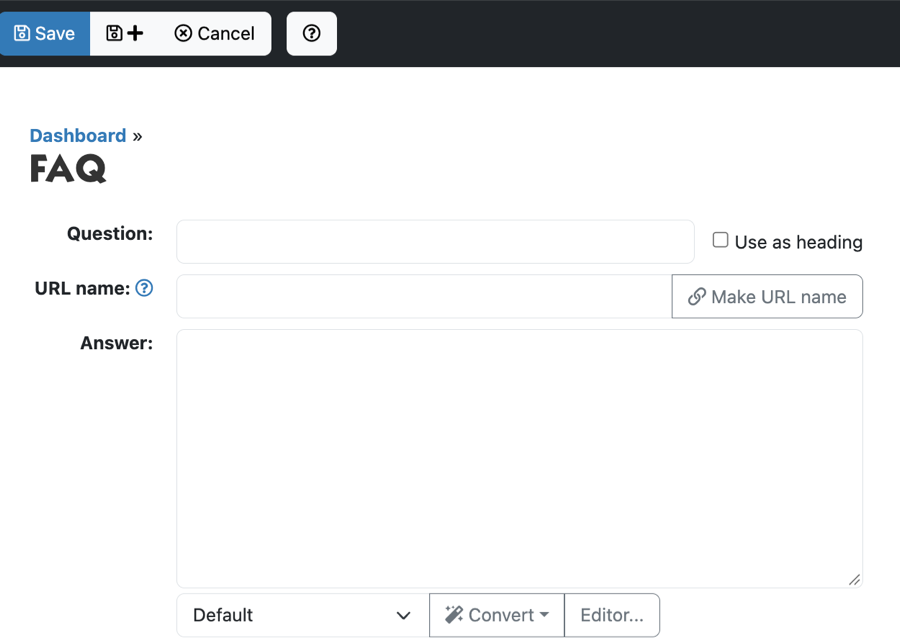
Do you want to add another question right away? Click the button with the plus next to Save (Save & Add New).
Grouping questions under a heading
If you have many questions, put them under headings, such as "Ordering" and "Payment".
- Click Add FAQ.
- Type the text of the heading under Question and tick Use as heading.
- Do you want a short introduction below the heading? Type it under Answer. Otherwise leave it empty.
- Click Save.
All questions that come after the heading in the list appear under that heading on the website, up to the next heading. In the list in the admin, the headings are shown in bold.
Changing the order
- In the folder, click More and choose Sort under Items.
- Choose manually.
- Drag the questions and headings into the right order, or click a row and use the Top, Up, Down and Bottom buttons.
- Click Save sort order.
Do you see a message that sorting is not possible? Then the folder sorts automatically, for example by question. Click Edit Folder and clear the order under Sort order via Change. After that you can put the questions in order yourself.
On the website each answer has a chain icon. Click it and the question opens on a page of its own. You can copy that address, for example to point to one answer in an e-mail.
See also
- Folders, order and visibility
- Formatting text in the editor
- Adding a page to the menu
Checked: November 2026